
- Upload multiple PDF files
- Reorder files using drag and drop
- Real PDF merging using JavaScript
- Download merged PDF instantly
- Remove selected files option
- Interactive and user-friendly interface
- Responsive design for all devices
- Dynamic updates using JavaScript
- Lightweight and fast frontend project
PDF Merger UI with HTML, CSS & JavaScript
40 DAYS 40 PROJECT CHALLENGE
Day #39
Project Overview
The PDF Merger UI is a frontend-based tool developed using HTML, CSS, and JavaScript that enables users to select multiple PDF files, reorder them using drag-and-drop, and merge them into a single document. It uses the PDF-lib library to perform real PDF merging directly in the browser without any backend. This project demonstrates concepts like file handling, asynchronous processing, DOM manipulation, and dynamic UI updates, making it a practical and real-world frontend application.
Key Features
HTML Code
<!DOCTYPE html>
<html lang="en">
<head>
<meta charset="UTF-8">
<meta name="viewport" content="width=device-width, initial-scale=1.0">
<title>PDF Merger</title>
<link rel="stylesheet" href="style.css">

<!-- PDF-LIB CDN -->
<script src="https://unpkg.com/pdf-lib/dist/pdf-lib.min.js"></script>
</head>

<body>

<div class="container">
    <h2>PDF Merger</h2>

    <input type="file" id="fileInput" multiple accept="application/pdf">

    <ul id="fileList"></ul>

    <button id="mergeBtn">Merge & Download</button>

    <p id="status"></p>
</div>

<script src="script.js"></script>
</body>
</html>
CSS Code
*{
margin:0;
padding:0;
box-sizing:border-box;
font-family:Arial;
}

body{
background:#0f172a;
display:flex;
justify-content:center;
align-items:center;
height:100vh;
color:#fff;
}

.container{
background:#1e293b;
padding:30px;
border-radius:12px;
width:350px;
text-align:center;
}

h2{
margin-bottom:20px;
}

input{
margin-bottom:15px;
}

ul{
list-style:none;
text-align:left;
margin-bottom:15px;
max-height:150px;
overflow-y:auto;
}

li{
background:#334155;
padding:8px;
margin-bottom:5px;
border-radius:6px;
display:flex;
justify-content:space-between;
align-items:center;
font-size:14px;
}

.remove{
background:red;
color:white;
border:none;
padding:4px 8px;
border-radius:4px;
cursor:pointer;
}

button{
width:100%;
padding:10px;
border:none;
background:#2563eb;
color:white;
border-radius:6px;
cursor:pointer;
}

button:hover{
background:#1e40af;
}

#status{
margin-top:15px;
font-size:14px;
}
Javascript Code
const { PDFDocument } = PDFLib;

const fileInput = document.getElementById("fileInput");
const fileList = document.getElementById("fileList");
const mergeBtn = document.getElementById("mergeBtn");
const statusText = document.getElementById("status");

let filesArray = [];

// Select files
fileInput.addEventListener("change", function(){

    for(let file of fileInput.files){
        if(file.type === "application/pdf"){
            filesArray.push(file);
        }
    }

    displayFiles();
});

// Show files
function displayFiles(){
    fileList.innerHTML = "";

    filesArray.forEach((file, index)=>{
        let li = document.createElement("li");

        li.innerHTML = `
            ${file.name}
            <button class="remove" onclick="removeFile(${index})">X</button>
        `;

        fileList.appendChild(li);
    });
}

// Remove file
function removeFile(index){
    filesArray.splice(index, 1);
    displayFiles();
}

// Merge PDFs
mergeBtn.addEventListener("click", async function(){

    if(filesArray.length < 2){
        statusText.innerText = "Select at least 2 PDFs ❗";
        return;
    }

    statusText.innerText = "Merging PDFs... ⏳";

    const mergedPdf = await PDFDocument.create();

    for (let file of filesArray) {
        const bytes = await file.arrayBuffer();
        const pdf = await PDFDocument.load(bytes);

        const pages = await mergedPdf.copyPages(pdf, pdf.getPageIndices());

        pages.forEach(page => mergedPdf.addPage(page));
    }

    const mergedBytes = await mergedPdf.save();

    // Download file
    const blob = new Blob([mergedBytes], { type: "application/pdf" });
    const url = URL.createObjectURL(blob);

    const a = document.createElement("a");
    a.href = url;
    a.download = "merged.pdf";
    a.click();

    statusText.innerText = "Download started ✅";
});
Subscribe
0 Comments
Oldest
Newest
Most Voted
Inline Feedbacks
View all comments
Related Projects

Day 36 : Password Strength Visual Meter
Displays password strength with visual indicators and feedback.
Concepts: Input validation, regex, dynamic UI updates.
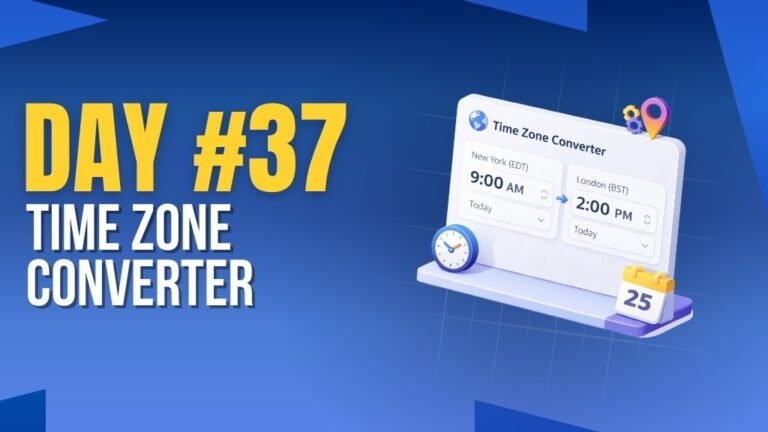
Day 37 : Time Zone Converter
Converts time between different time zones instantly.
Concepts: Date & time handling, user input, dynamic updates.

Day 1 : Admin Dashboard UI
User signup and login system with validated credentials and a clean UI.
Concepts: DOM manipulation, form validation, LocalStorage.