
- Real-time theme customization
- Change background, text, and accent colors
- Font style customization
- Instant UI preview of theme changes
- Clean and modern control panel interface
- Responsive layout for all devices
- Uses CSS variables for dynamic styling
- Interactive controls powered by JavaScript
Theme Customizer Panel with HTML, CSS & JavaScript
40 DAYS 40 PROJECT CHALLENGE
Day #28
Project Overview
A Theme Customizer Panel built using HTML, CSS, and JavaScript that allows users to modify the appearance of a webpage in real time. Users can change elements such as background color, text color, accent color, and font styles through an interactive control panel. This project demonstrates frontend concepts like CSS variables, real-time UI updates, DOM manipulation, and responsive design, making it a useful project for learning dynamic theme customization.
Key Features
HTML Code
<!DOCTYPE html>
<html>
<head>
<meta charset="UTF-8">
<title>Theme Customizer Panel</title>
<link rel="stylesheet" href="style.css">
</head>

<body>

<div class="container">

<h1>Theme Customizer Panel</h1>

<div class="controls">

<label>Background Color</label>
<input type="color" id="bgColor">

<label>Text Color</label>
<input type="color" id="textColor">

<label>Accent Color</label>
<input type="color" id="accentColor">

<label>Font Style</label>
<select id="fontSelect">
<option value="Arial">Arial</option>
<option value="Georgia">Georgia</option>
<option value="Poppins">Poppins</option>
<option value="Courier New">Courier New</option>
</select>

</div>

<div class="preview">

<h2>Live Preview</h2>

<p>
This is a preview area where you can see the theme changes in real time.
</p>

<button>Sample Button</button>

</div>

</div>

<script src="script.js"></script>

</body>
</html>
CSS Code
:root{
--bg-color:#ffffff;
--text-color:#111111;
--accent-color:#2563eb;
--font-family:Arial;
}

*{
margin:0;
padding:0;
box-sizing:border-box;
font-family:var(--font-family);
}

body{
background:#042354;
display:flex;
justify-content:center;
align-items:center;
height:100vh;
}

.container{
background:white;
padding:30px;
border-radius:12px;
width:600px;
box-shadow:0 10px 30px rgba(0,0,0,0.1);
}

h1{
text-align:center;
margin-bottom:20px;
}

.controls{
display:grid;
gap:10px;
margin-bottom:25px;
}

.preview{
background:var(--bg-color);
color:var(--text-color);
padding:20px;
border-radius:8px;
border:2px solid var(--accent-color);
transition:0.3s;
}

.preview h2{
margin-bottom:10px;
}

.preview button{
margin-top:15px;
padding:10px 15px;
border:none;
background:var(--accent-color);
color:white;
border-radius:6px;
cursor:pointer;
}

.preview button:hover{
opacity:0.9;
}
Javascript Code
const bgColor = document.getElementById("bgColor")
const textColor = document.getElementById("textColor")
const accentColor = document.getElementById("accentColor")
const fontSelect = document.getElementById("fontSelect")

bgColor.addEventListener("input", function(){
document.documentElement.style.setProperty("--bg-color", this.value)
})

textColor.addEventListener("input", function(){
document.documentElement.style.setProperty("--text-color", this.value)
})

accentColor.addEventListener("input", function(){
document.documentElement.style.setProperty("--accent-color", this.value)
})

fontSelect.addEventListener("change", function(){
document.documentElement.style.setProperty("--font-family", this.value)
})
Subscribe
0 Comments
Oldest
Newest
Most Voted
Inline Feedbacks
View all comments
Related Projects

Day 25 : Expense Analytics Dashboard
Tracks and visualizes expenses with charts and category breakdowns.
Concepts: Data visualization, state management, dynamic rendering.
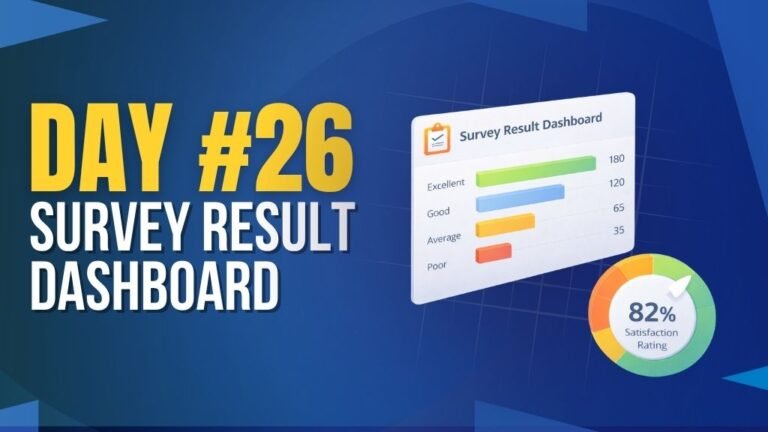
Day 26 : Survey Result Dashboard
Displays survey responses with charts and summarized insights.
Concepts: Data aggregation, chart rendering, dynamic UI updates.

Day 30 : Interactive Timeline Component
Displays events in a timeline layout with interactive navigation.
Concepts: UI layout, animations, dynamic content rendering.