Project Overview
This Modern Dark Theme Portfolio Website is a clean and professional portfolio template and the template is built using HTML, CSS and JavaScript. It uses a dark interface with subtle borders, soft animations, and a blue accent color to create a polished developer focused design. This portfolio is suitable for developers, students and other tech professionals who want to show off their abilities and work through a professional online look. It puts information together in sections like About, Skills, Projects, Experience, Services and Contact.
Visitors can explore featured projects, technical skills, professional experience, and development services in an organized layout. The template also has a navigation that works well on all devices moving content, project cards, skill groups, a timeline, for experience and a form to get in touch. Its responsive design ensures that the portfolio remains easy to explore across desktop, tablet, and mobile devices. The website has a simple and clear structure. Students, developers, and designers can easily replace the existing details with their own information and projects.
Purpose of the Project
The purpose of this Modern Dark Theme Portfolio Website is to give platform for presenting a developer’s skills, projects, experience and services in a way that looks great. The website brings all the important career details in one spot without making the screen feel messy or crowded. People who visit the website can quickly see what the developer does look at their skills, check out specific projects and read about their professional experience.
The project also focuses on presenting development work through a modern dark interface. Subtle animations, interactive elements, and well structured sections make the portfolio more engaging. As a result, this portfolio website provides developer’s with a strong foundation for showcasing their work and professional identity online.
How the Website Works
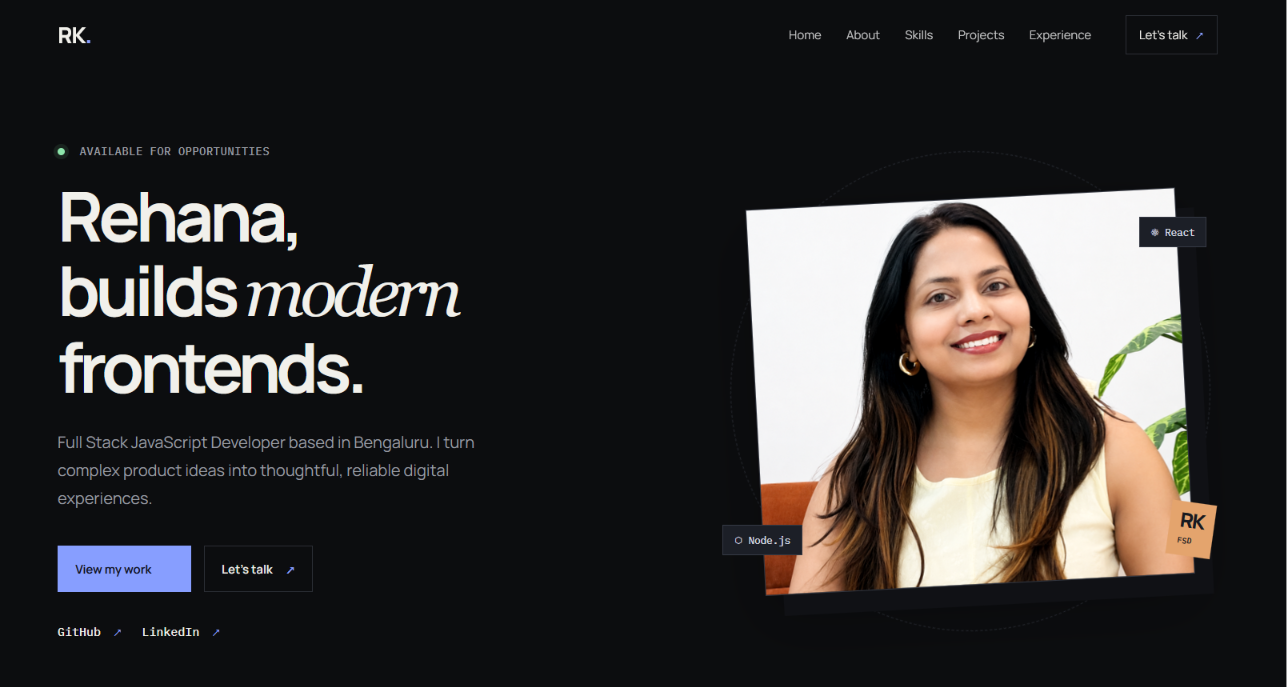
This website functions as a single page portfolio with a sticky navigation bar at the top. People can use the navigation links to move between Home, About, Skills, Projects, Experience, and Contact sections. The Home section of this website introduces the developer and includes buttons for viewing projects or starting a conversation. It also provides GitHub and LinkedIn links. The About section explains the developer’s approach to turning ideas into reliable products.
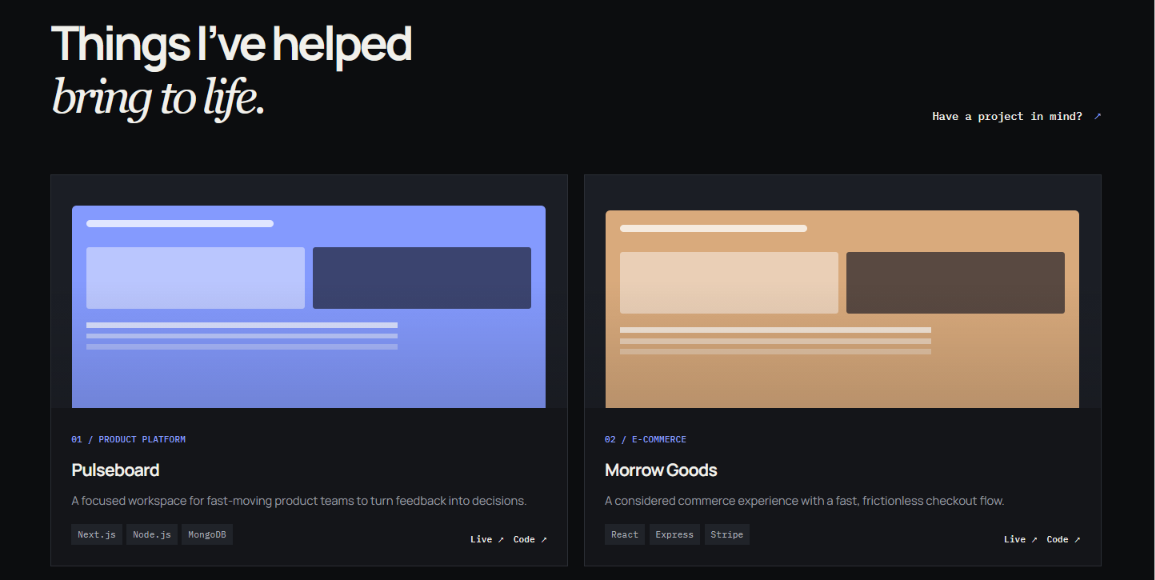
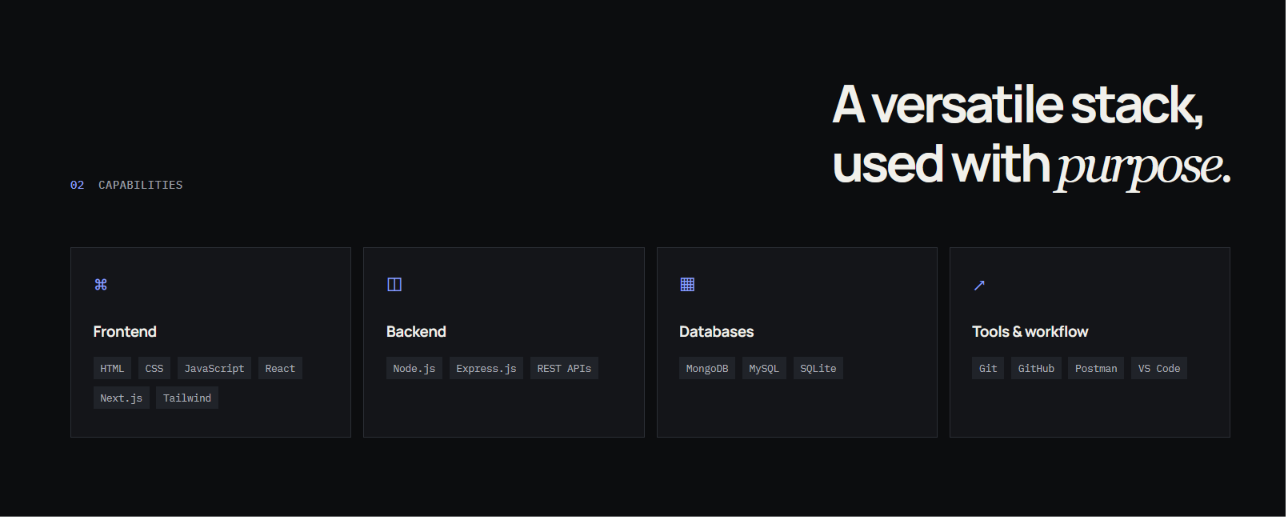
People can then explore the Skills section, which organizes technologies into Frontend, Backend and Tools & Workflow categories. The Projects section displays selected work with descriptions, technology tags and links. The Experience section displays professional roles through a timeline. Finally, people can use the Contact section to contact the portfolio owner for any enquires.
Website Sections
The Modern Dark Theme Portfolio Website contains several sections that work together to present a complete professional profile. Each section serves a specific purpose. Together, they provide a complete overview of the portfolio owner’s background, skills, and work.
- Home Section: The Home section gives a strong introduction which includes a professional headline, short description, and action buttons. Users can customize this area with their own name, professional role, introduction, and links to platforms such as GitHub and LinkedIn.
- About Section: This section offers space to introduce the portfolio owner and explain their background, development approach, interests, or professional goals. Users can replace the existing content with information that represents their own profile.
-
Skills section: The Skills section arranges technical abilities into categories such, as Frontend, Backend, Databases etc. Users can customize these categories and add technologies that match their own skills and experience.
-
Projects section: The Projects section provides cards to display completed or ongoing work. Each project can include its name, description, technology tags and links. Users can replace the sample projects with their work and project details.
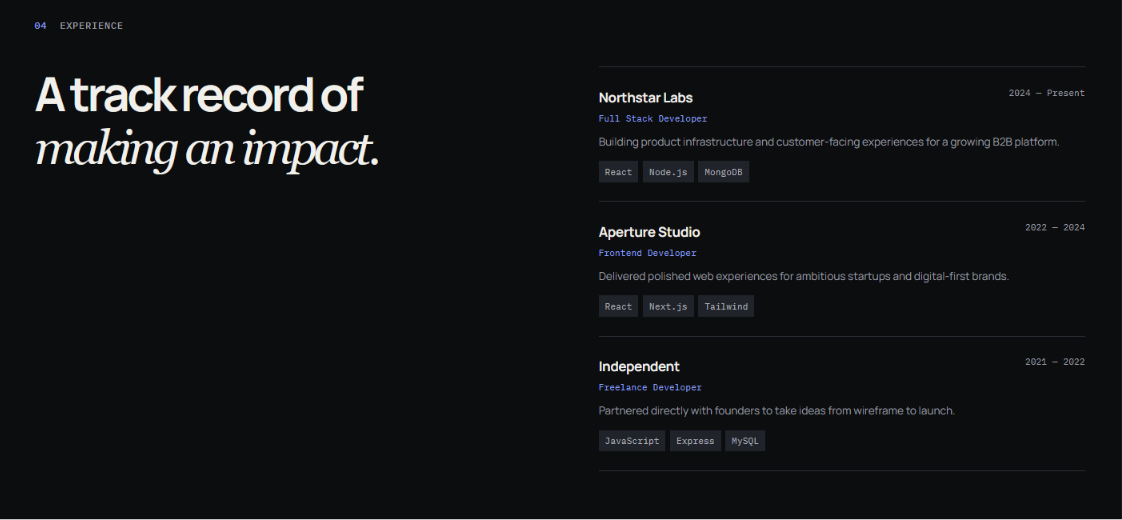
- Experience Section: This section shows professional experience through a timeline layout. Users can add job titles, company names, dates, duties and technologies. This helps build a clear overview of their work history.
- What I Do Section: This section focuses on skills and areas of expertise. Users can list services like Frontend Development, Full Stack Development, Responsive Web Design or any other skills they offer. It highlights what they do best.
-
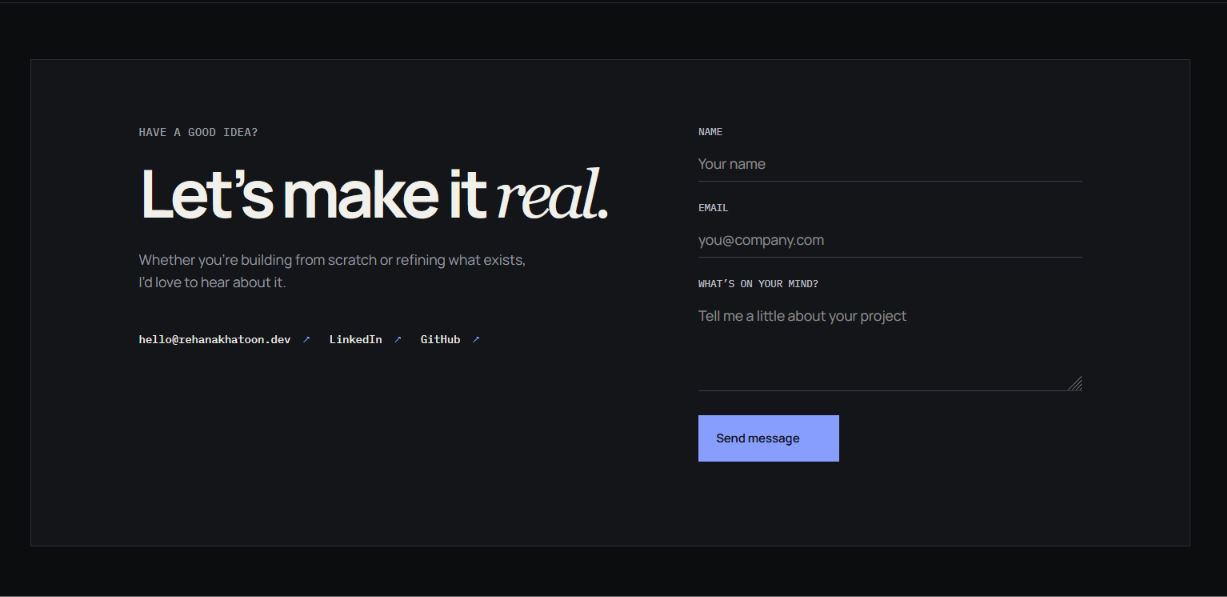
Contact Section: This section lets visitors reach out easily. It includes contact details links to media and a form, for name, email and project details. Users can update this with their contact info.
-
Footer Section: This section appears at the bottom of the website. It includes branding, copyright text and navigation links. Users can change the footer to match their brand and needs.
Technologies Used
- HTML5: HTML5 creates the structure of the portfolio and organizes sections such as Home, About, Skills, Projects, Experience, Services, and Contact.
- CSS3: CSS3 creates the dark visual theme and controls the website’s layout, typography, colors, spacing, responsive behavior, animations, cards, buttons, and interactive hover effects.
- JavaScript: JavaScript adds dynamic functionality to the website. It generates the skills, projects, experience timeline, and services from structured data. It also controls the mobile navigation menu, scroll-based header effect, animated section reveals, contact form behavior, and other interactions.
Key Features
- Modern Dark Theme: This website uses a dark interface with subtle borders, muted text and blue accent elements. That gives the portfolio a professional and developer focused look.
- Professional Hero Section: The Home section includes a clear professional headline, availability status, description, and calls to action to introduce the developer. It also has links to Github and LinkedIn.
- Responsive Design: Layout of this website adjusts itself for different screen sizes. The navigation, hero section, skill cards, project grid, experience timeline and contact area are responsive to smaller screens.
- Skills Categories: Technologies are grouped into Frontend, Backend, Databases, and Tools & Workflow categories. This makes it easy to understand the technical stack of the developer.
- Interactive Mobile Menu: On smaller screens the navigation changes to a mobile menu. The menu button can be used by visitors to open and close the menu.
- Animated Content Reveals: Reveal animations are used in sections and cards as users scroll through the page. This results in a more seamless transition between the different components of the portfolio.
- Project Showcase: The work section displays selected projects with descriptions, technology tags, Live and Code links so, it’s easy for visitors to easily understand what each project is about.
- Experience Timeline: The timeline presents professional experience in an organized format. Each entry lists the company, role, dates, description and technologies used.
- Hover Interactions: Subtle movement and border effects on project cards and skill cards when a user interacts with them make the interface feel more dynamic.
- Interactive Contact Form: Visitors can fill in the contact form with their name, email and project message. The form information is processed using JavaScript and the visitor’s email client is opened with the message information.
- Easy Customization: The organized HTML, CSS, and JavaScript structure makes it simple to replace the existing content with personal information.
- Developer-Focused Design: The combination of a dark interface, code-inspired visual elements, technology tags, project cards, and professional sections gives the portfolio a strong developer-oriented identity.
Project Gallery