
- Upload images for AI analysis
- AI generates captions automatically
- Image preview before analysis
- Vision AI API integration
- Clean responsive interface
- Dynamic caption rendering
- Copy caption functionality
- Modern UI design
AI Interview Question Generator with HTML, CSS & JavaScript
40 DAYS 40 PROJECT CHALLENGE
Day #16
Project Overview
The AI Image Caption Generator is a web application that uses artificial intelligence to analyze uploaded images and generate descriptive captions automatically. Users upload an image, and the application sends it to an AI vision model which returns a caption describing the image. This project demonstrates frontend concepts such as file uploads, API integration, asynchronous requests, and dynamic content rendering, making it a strong AI-based portfolio project.
Key Features
HTML Code
<!DOCTYPE html>
<html>
<head>
<meta charset="UTF-8">
<title>AI Image Caption Generator</title>
<link rel="stylesheet" href="style.css">
</head>

<body>

<div class="container">

<h1>AI Image Caption Generator</h1>

<input type="file" id="imageInput" accept="image/*">

<img id="preview">

<button onclick="generateCaption()">Generate AI Caption</button>

<div id="captionResult"></div>

</div>

<script src="script.js"></script>

</body>
</html>
CSS Code
*{
margin:0;
padding:0;
box-sizing:border-box;
font-family:Arial;
}

body{
background:#042354;
display:flex;
justify-content:center;
align-items:center;
height:100vh;
padding:20px;
}

.container{
background:white;
padding:30px;
border-radius:12px;
width:500px;
text-align:center;
box-shadow:0 10px 30px rgba(0,0,0,0.1);
}

h1{
margin-bottom:20px;
}

#preview{
width:100%;
margin-top:10px;
border-radius:8px;
display:none;
}

button{
margin-top:15px;
width:100%;
padding:12px;
background:#2563eb;
border:none;
color:white;
border-radius:6px;
cursor:pointer;
font-weight:bold;
}

button:hover{
background:#1d4ed8;
}

#captionResult{
margin-top:20px;
background:#f1f5f9;
padding:15px;
border-radius:6px;
min-height:80px;
}
Javascript Code
let imageBase64 = ""

const imageInput = document.getElementById("imageInput")
const preview = document.getElementById("preview")

imageInput.addEventListener("change", function(){

const file = this.files[0]

if(!file) return

const reader = new FileReader()

reader.onload = function(e){

imageBase64 = e.target.result

preview.src = imageBase64
preview.style.display = "block"

}

reader.readAsDataURL(file)

})

async function generateCaption(){

const result = document.getElementById("captionResult")

if(!imageBase64){
result.innerText = "Please upload an image first."
return
}

result.innerText = "Analyzing image..."

try{

const response = await fetch("https://openrouter.ai/api/v1/chat/completions",{

method:"POST",

headers:{
"Content-Type":"application/json",
"Authorization":"Bearer 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"
},

body:JSON.stringify({

model:"openai/gpt-4o-mini",

messages:[
{
role:"user",
content:[
{
type:"text",
text:"Describe this image and generate a caption."
},
{
type:"image_url",
image_url:{ url:imageBase64 }
}
]
}
]

})

})

const data = await response.json()

result.innerText = data.choices[0].message.content

}catch(error){

result.innerText = "Error generating caption."

}

}
Subscribe
0 Comments
Oldest
Newest
Most Voted
Inline Feedbacks
View all comments
Related Projects

Day 13 : AI Blog Title Generator
Generates engaging blog titles based on user input keywords.
Concepts: User input handling, dynamic text generation, UI updates.

Day 14 : AI Code Explainer UI
Displays explanations for code snippets with a clean preview interface.
Concepts: Input handling, dynamic rendering, formatted output display.
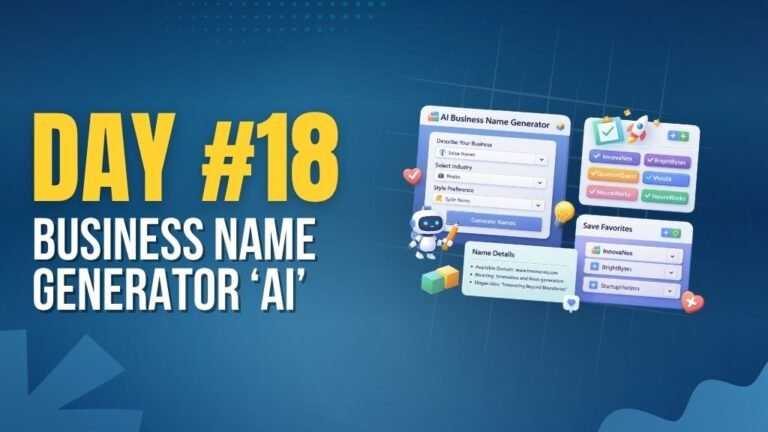
Day 18 : AI Business Name Generator
Generates creative business names based on keywords and category.
Concepts: String manipulation, dynamic generation, UI interaction.