
- Visualize survey results using charts
- Display response statistics dynamically
- Clean and modern dashboard interface
- Responsive layout for desktop and mobile devices
- Interactive data visualization using Chart.js
- Easy integration with survey data
- Real-time result updates
- User-friendly dashboard layout
Survey Result Dashboard with HTML, CSS & JavaScript
40 DAYS 40 PROJECT CHALLENGE
Day #26
Project Overview
A Survey Result Dashboard built using HTML, CSS, and JavaScript that visualizes survey responses in a clear and interactive way. The dashboard displays collected survey data using charts and dynamic statistics, helping users understand trends and response distribution. This project demonstrates frontend concepts such as data visualization, dynamic chart generation, DOM manipulation, and responsive dashboard design.
Key Features
HTML Code
<!DOCTYPE html>
<html>
<head>
<meta charset="UTF-8">
<title>Survey Result Dashboard</title>
<link rel="stylesheet" href="style.css">

<script src="https://cdn.jsdelivr.net/npm/chart.js"></script>

</head>

<body>

<div class="container">

<h1>Survey Result Dashboard</h1>

<div class="stats">

<div class="card">
<h3>Total Responses</h3>
<p id="totalResponses">0</p>
</div>

<div class="card">
<h3>Average Rating</h3>
<p id="avgRating">0</p>
</div>

</div>

<canvas id="surveyChart"></canvas>

</div>

<script src="script.js"></script>

</body>
</html>
CSS Code
*{
margin:0;
padding:0;
box-sizing:border-box;
font-family:Arial, sans-serif;
}

/* PAGE */

body{
background:#042354;
display:flex;
justify-content:center;
align-items:flex-start;
padding:40px 20px;
min-height:100vh;
overflow-y:auto;
}

/* MAIN CONTAINER */

.container{
background:white;
padding:30px;
border-radius:12px;
width:700px;
max-width:95%;
box-shadow:0 10px 30px rgba(0,0,0,0.1);
}

/* TITLE */

h1{
text-align:center;
margin-bottom:25px;
}

/* STATS CARDS */

.stats{
display:flex;
gap:20px;
margin-bottom:25px;
flex-wrap:wrap;
}

.card{
flex:1;
min-width:200px;
background:#f1f5f9;
padding:20px;
border-radius:10px;
text-align:center;
transition:0.3s;
}

.card:hover{
transform:translateY(-4px);
box-shadow:0 6px 15px rgba(0,0,0,0.08);
}

.card h3{
font-size:18px;
margin-bottom:8px;
}

.card p{
font-size:22px;
font-weight:bold;
color:#2563eb;
}

/* CHART */

canvas{
width:100% !important;
max-height:420px;
margin-top:10px;
}

/* MOBILE RESPONSIVE */

@media(max-width:600px){

.stats{
flex-direction:column;
}

.container{
padding:20px;
}

h1{
font-size:22px;
}

}
Javascript Code
const surveyData = {

labels:[
"Very Satisfied",
"Satisfied",
"Neutral",
"Unsatisfied",
"Very Unsatisfied"
],

values:[45,30,15,7,3]

}

function loadDashboard(){

const total = surveyData.values.reduce((a,b)=>a+b,0)

document.getElementById("totalResponses").innerText = total

let ratingScore = (
surveyData.values[0]*5 +
surveyData.values[1]*4 +
surveyData.values[2]*3 +
surveyData.values[3]*2 +
surveyData.values[4]*1
)

let avg = (ratingScore / total).toFixed(1)

document.getElementById("avgRating").innerText = avg

drawChart()

}

function drawChart(){

const ctx = document.getElementById("surveyChart")

new Chart(ctx,{

type:"pie",

data:{

labels:surveyData.labels,

datasets:[{

data:surveyData.values,

backgroundColor:[
"#22c55e",
"#3b82f6",
"#facc15",
"#f97316",
"#ef4444"
]

}]

},

options:{
responsive:true
}

})

}

loadDashboard()
Subscribe
0 Comments
Oldest
Newest
Most Voted
Inline Feedbacks
View all comments
Related Projects

Day 23 : User Activity Heatmap
Visualizes user activity data using a heatmap layout.
Concepts: Data mapping, grid layout, visual representation.
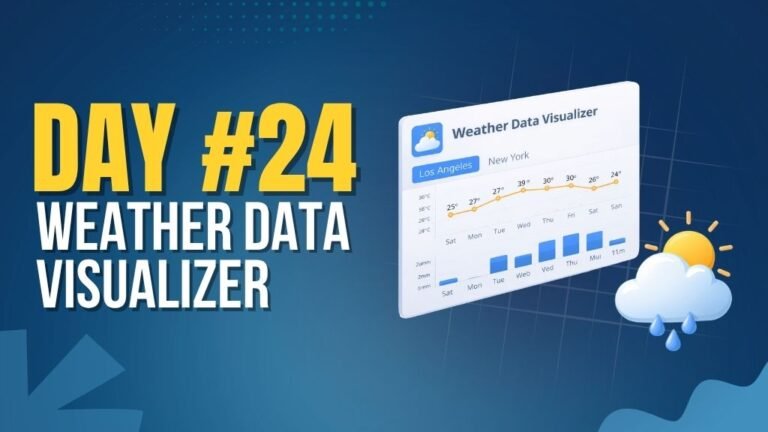
Day 24 : Weather Data Visualizer
Shows real-time weather data based on user location or input.
Concepts: API integration, async data handling, dynamic UI rendering.

Day 28 : Theme Customizer Panel
Allows users to customize UI themes with real-time preview.
Concepts: CSS variables, state management, dynamic styling.