
- Generate activity heatmap from user input
- Color-coded activity intensity visualization
- Dynamic grid generation
- Interactive analytics visualization
- Responsive layout
- Clean UI design
- Real-time heatmap updates
- Simple activity tracking interface
User Activity Heatmap Generator with HTML, CSS & JavaScript
40 DAYS 40 PROJECT CHALLENGE
Day #23
Project Overview
The User Activity Heatmap Generator is a web-based visualization tool that displays activity intensity across multiple days using a heatmap grid. Users can enter activity values, and the system generates a color-coded heatmap representing low to high activity levels. This project demonstrates concepts such as dynamic DOM generation, grid layouts, color scaling based on data values, and interactive visualization, making it a useful project for analytics dashboards.
Key Features
HTML Code
<!DOCTYPE html>
<html>
<head>
<meta charset="UTF-8">
<title>User Activity Heatmap</title>
<link rel="stylesheet" href="style.css">
</head>

<body>

<div class="container">

<h1>User Activity Heatmap</h1>

<input id="activityData" placeholder="Enter activity values (e.g. 2,5,8,1,0,6,9,3)">

<button onclick="generateHeatmap()">Generate Heatmap</button>

<div id="heatmap"></div>

</div>

<script src="script.js"></script>

</body>
</html>
CSS Code
*{
margin:0;
padding:0;
box-sizing:border-box;
font-family:Arial;
}

body{
background:#042354;
display:flex;
justify-content:center;
align-items:center;
height:100vh;
}

.container{
background:white;
padding:30px;
border-radius:12px;
width:600px;
text-align:center;
}

input{
width:100%;
padding:10px;
margin:10px 0;
border-radius:6px;
border:1px solid #ddd;
}

button{
width:100%;
padding:12px;
background:#2563eb;
border:none;
color:white;
border-radius:6px;
cursor:pointer;
}

button:hover{
background:#1d4ed8;
}

#heatmap{
display:grid;
grid-template-columns:repeat(7,1fr);
gap:5px;
margin-top:20px;
}

.cell{
width:60px;
height:60px;
border-radius:6px;
}
Javascript Code
function generateHeatmap(){

const data = document.getElementById("activityData").value
.split(",")
.map(Number)

const container = document.getElementById("heatmap")

container.innerHTML=""

data.forEach(value => {

const cell = document.createElement("div")

cell.className = "cell"

let color

if(value === 0){
color = "#e5e7eb"
}
else if(value < 3){
color = "#bfdbfe"
}
else if(value < 6){
color = "#60a5fa"
}
else if(value < 9){
color = "#2563eb"
}
else{
color = "#1e3a8a"
}

cell.style.background = color

container.appendChild(cell)

})

}
Subscribe
0 Comments
Oldest
Newest
Most Voted
Inline Feedbacks
View all comments
Related Projects

Day 20 : AI Chatbot Widget for Website
Interactive chatbot UI for handling user queries in real-time.
Concepts: Event handling, dynamic responses, UI interaction.
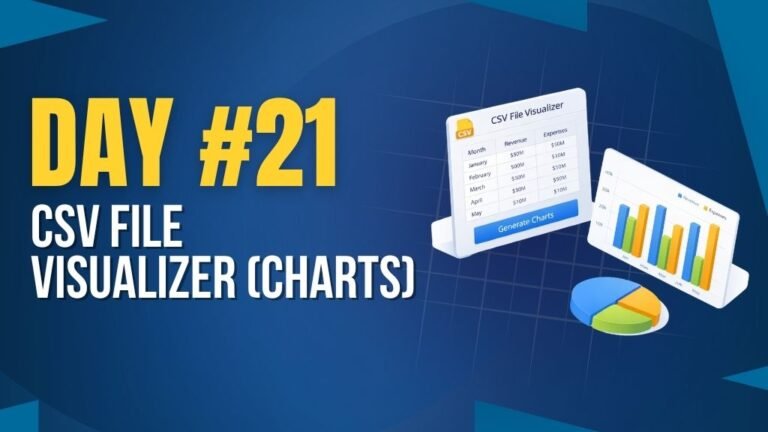
Day 21 : CSV File Visualizer (Charts)
Uploads CSV files and displays data using interactive charts.
Concepts: File handling, data parsing, chart rendering.

Day 25 : Expense Analytics Dashboard
Tracks and visualizes expenses with charts and category breakdowns.
Concepts: Data visualization, state management, dynamic rendering.